Meta says your campaign generated €12,400. WooCommerce shows €7,100. You stare at both screens. Someone is lying — and your next budget decision hangs in the balance.
If you’ve run Meta Ads for more than a month, you’ve lived this moment. The numbers never quite add up. Some months Meta’s reported revenue is 40% higher than what actually hit your bank account. Other months it’s closer. But it’s never right. And nobody at your agency can explain why in plain language.
This article will.
We’ll walk through every reason the gap exists — from attribution windows to iOS privacy changes to a specific checkout bug that almost nobody talks about — and show you exactly what clean attribution data looks like.
The Gap Is Real, It’s Systematic, and It’s Getting Wider
Before we get into causes, let’s be clear: this is not a rounding error. The average ecommerce store running Meta Ads overcounts revenue in the Ads Manager by 30–60% compared to actual orders. Some stores see 2–3× overcounting.
This matters because you’re making budget decisions based on fabricated numbers. If Meta says your ROAS is 4.2× but the real number is 2.1×, you’re scaling a losing campaign. You’re pulling budget from channels that are actually working. You’re reporting to stakeholders with data that will eventually embarrass you.
Here’s every reason this happens.
Reason #1: Meta’s Attribution Window Is Designed to Claim Credit
Meta’s default attribution setting is 7-day click, 1-day view. Most advertisers never change it.
What this means in practice:
– Your customer clicks a Meta ad on Monday.
– They don’t buy.
– On Thursday, they Google your brand name, click an organic result, and purchase.
– Meta claims this sale. Google Analytics may also claim it. WooCommerce records one sale. Two platforms claim it.
This isn’t a glitch — it’s how Meta designed the system. Any purchase that happens within 7 days of someone clicking your ad gets attributed to that ad. Even if the customer saw 12 other touchpoints between the click and the purchase. Even if Meta had nothing to do with their final decision to buy.
The 7-day window made some sense in 2016. Today, customer journeys are longer and more complex. Research shows the average B2C purchase involves 6–8 touchpoints across multiple channels over multiple days. A 7-day blanket claim captures most of them by default.
Practical example:
A Finnish outdoor gear store runs a Meta campaign for hiking boots. A customer sees the ad, visits the site, leaves. Five days later they read a review blog, click a referral link, buy. Meta claims €189. So does the referral source. WooCommerce shows €189 once. Your Meta Ads Manager shows €189 in revenue. Your actual revenue didn’t grow by €189 twice.
Reason #2: View-Through Attribution Is Almost Pure Fiction
Here’s the one that really inflates numbers.
Under the 1-day view setting (on by default), Meta will claim credit for any purchase made within 24 hours of someone seeing your ad — without clicking it. They just had to scroll past it. No interaction required.
Think about how many people scroll past your ads every day. Now imagine Meta claiming every purchase from any of those people within 24 hours as a conversion from your campaign.
This is what view-through attribution does. And the problem has gotten dramatically worse with iOS privacy changes (more on that below), because Meta is now estimating who saw your ads using statistical models, not actual tracking data.
If you want to see how much this inflates your numbers: Go into Meta Ads Manager, add a column breakdown, and look at “Click-through” versus “View-through” conversions separately. For most stores, view-through accounts for 20–45% of reported conversions. Remove those and your actual ROAS drops significantly.
View-through conversions are largely coincidental. The purchase was going to happen anyway.
Reason #3: Every Platform Counts the Same Sale
You’re not just running Meta. You’re running Google. Maybe email. Maybe TikTok.
Every one of those platforms has its own attribution window, its own pixel, and its own bias toward claiming credit. They all report independently into their own dashboards.
A customer receives your Klaviyo email on Tuesday (email platform claims the click). They click a Google Shopping ad on Friday (Google claims this session). They buy Saturday through a direct visit (direct). In WooCommerce: one order, €79.
In your combined ad platform reporting: €237 in claimed revenue across three platforms.
This is called multi-channel attribution inflation, and it’s why the sum of your platform-reported revenues is always higher — often dramatically higher — than your actual revenue.
The only way to solve this is with a single source of truth that looks at the actual customer journey and assigns credit according to a consistent rule — not letting every platform use its own self-serving window.
Reason #4: iOS 14 Broke Everything and Meta Patched It With Guesswork
In April 2021, Apple released iOS 14.5 with App Tracking Transparency (ATT). Users had to opt in to being tracked across apps. Most didn’t.
This destroyed Meta’s pixel accuracy overnight.
For iPhone users who opted out:
– Meta can no longer see what they do on your website after clicking an ad
– Meta can’t match ad clicks to purchases
– Meta loses the ability to report actual conversions for this segment
Meta’s response was to introduce Aggregated Event Measurement and modeled conversions — statistical estimates of what conversions probably happened, extrapolated from users who did consent.
What this means for you: a significant portion of the revenue Meta reports today is not observed data. It’s a model’s best guess. Meta’s models are optimistic. They’re built to show your campaigns working.
After iOS 14, stores typically saw Meta-reported conversions drop 20–40% (some accuracy returned) before Meta’s modeling “recovered” numbers back to near-previous levels. The problem: that recovery is statistical noise, not actual tracking. Your real conversions didn’t recover — Meta just got better at guessing.
Reason #5: Payment Gateways Are Silently Destroying Your Last-Touch Data
This is the one almost nobody talks about, and it’s the most fixable.
Here’s what happens when a customer checks out through Stripe, Klarna, PayPal, or any other payment gateway:
1. Customer is on your WooCommerce checkout page (referrer: your store)
2. They click “Pay with Klarna”
3. They’re redirected to klarna.com to authenticate
4. Klarna redirects them back to your thank-you page
At step 4, the browser’s referrer header is `klarna.com`. Your analytics tool — whether Google Analytics, your WooCommerce plugin, or anything else — records the referral source as Klarna.
The Meta Ads click that drove the session? Gone. Overwritten by the payment redirect.
This means orders that were genuinely driven by Meta Ads get logged as “referral from klarna.com” in your analytics. You look at your referral channel and think Klarna is sending you a lot of customers. Meta looks underpowered. You reduce Meta budget. Sales drop.
This is a real bug with real business consequences. Stores using payment gateways that redirect off-site — which is almost all of them — systematically misattribute last-touch channel for a meaningful percentage of orders.
The fix requires explicitly excluding payment gateway URLs from last-touch attribution logic, preserving the pre-checkout session state as the real last touch.
Reason #6: Your Pixel Is Probably Misconfigured
Even if everything else were perfect, there’s a good chance your Meta pixel is firing incorrectly.
Common pixel misconfiguration issues:
Duplicate pixel fires: The pixel fires twice on the same page — once from a plugin, once from a theme. Every purchase event gets recorded twice. Your reported conversions are double what actually happened.
Purchase event on wrong page: The pixel fires on the checkout page instead of the order confirmation page. Users who abandon during checkout still trigger a “purchase” event.
Currency/value mismatches: The purchase event passes the subtotal excluding tax and shipping. Meta reports a lower number than your actual order value. Or it passes including tax, and you compare against net revenue. The gap is explained by accounting, not attribution.
Cart vs order value: Some integrations pass cart total at the moment the pixel fires, before order adjustments like loyalty point discounts or coupon codes are applied server-side. Meta shows pre-discount, WooCommerce shows post-discount.
None of these are exotic edge cases. They’re found on the majority of stores we audit.
What Clean Attribution Actually Looks Like
When attribution is working correctly, here’s what you see:
One order, one channel. Each order gets one last-touch channel — the real traffic source that drove the session that converted. No double-counting, no overlap.
Payment gateway sessions excluded. Checkout, cart, payment processor URLs are excluded from last-touch logic. If a customer clicked a Meta ad, browsed, added to cart, and checked out via Stripe, the session that counts is the one where they first clicked the Meta ad — not the Stripe return URL.
Consistent attribution windows. Every channel is evaluated with the same session logic, not each platform’s self-reported window. A session is a session — it doesn’t expire in 7 days for Meta and 30 minutes for Google.
Separation of first-touch and last-touch. First touch tells you what acquired the customer (what brought them to you initially). Last touch tells you what converted them (what was present when they decided to buy). Both matter. They tell you different things about channel performance.
Cross-channel journey visibility. You can see the full touchpoint sequence for any order — not just the last click, but every visit in the session history. When Meta claims a conversion, you can look at the actual journey and see if Meta was really the deciding factor.
Why This Matters More Than You Think
The downstream consequences of bad attribution data compound quickly.
You scale losers. You increase Meta budget because Meta says it’s working. The channels actually driving revenue — organic search, email, referral — starve for attention.
You kill winners. Email drives 28% of your real revenue but shows modest numbers in Klaviyo’s own dashboard (because email also has attribution issues, though different ones). You deprioritize email investment.
You report incorrectly. You tell your investor your ROAS is 3.8×. The real number is 2.1×. This creates expectations you’ll eventually fail to meet.
Your CAC calculations are wrong. Customer acquisition cost based on Meta-reported revenue makes your unit economics look better than they are. You price your growth plans on false data.
Your agency gets away with it. Your Meta agency optimises toward conversions that Meta can see and claim — not the ones that actually drive your business. Attribution confusion is good for agencies. It lets them hide behind the gap.
How RevTrace Solves This
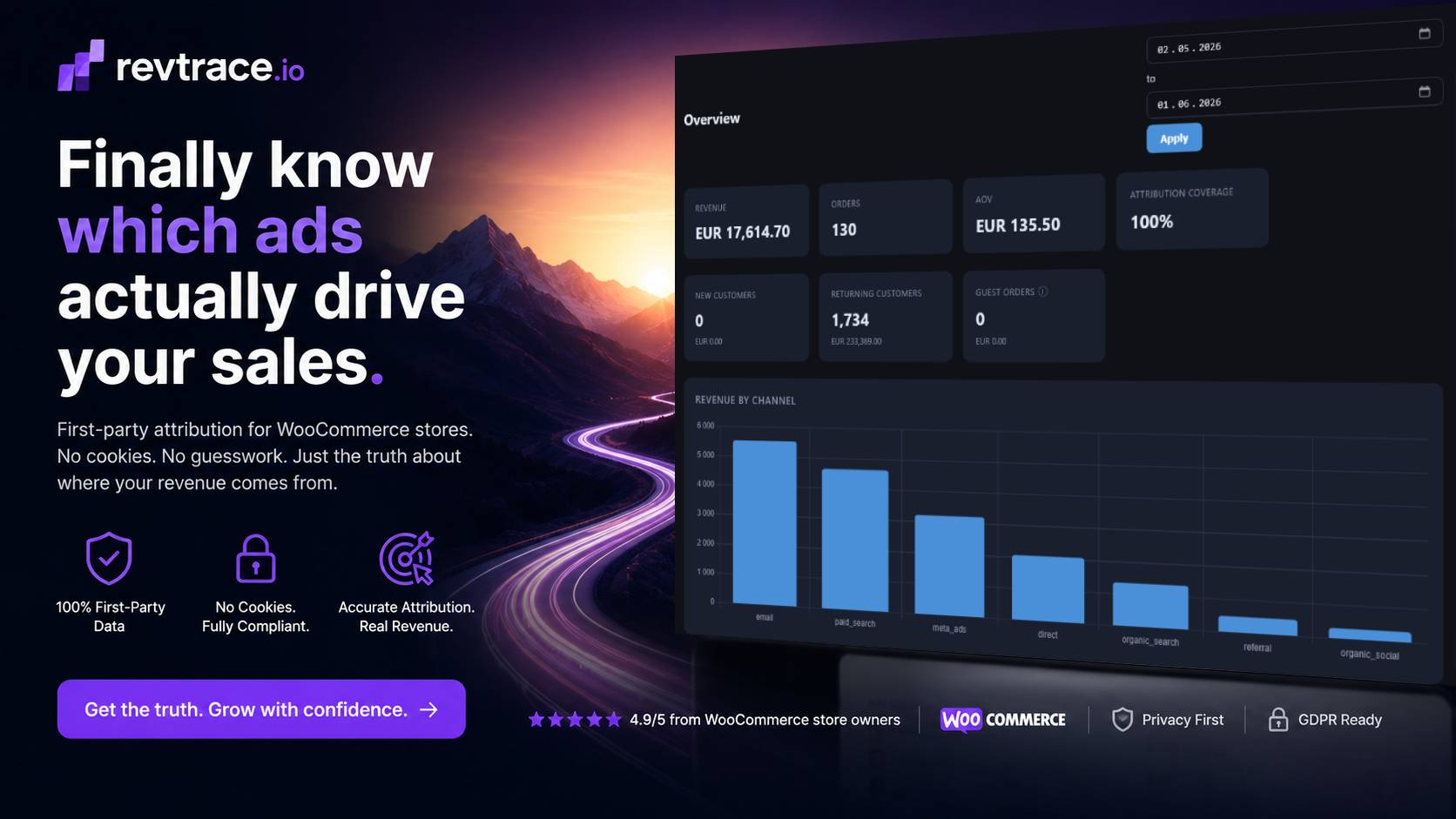
RevTrace is first-party attribution built for WooCommerce stores — designed specifically around the problems described above.
Session-based, not window-based. Attribution is tied to actual visitor sessions, not 7-day look-back windows. A sale belongs to the channel that drove the session that led to the purchase.
Payment gateway exclusion built in. Checkout, cart, and known payment gateway URLs are excluded from last-touch logic. A Stripe redirect doesn’t overwrite your Meta campaign.
First-party data, not pixel-dependent. RevTrace captures sessions server-side via your WooCommerce installation. iOS 14 doesn’t affect it. Apple’s privacy changes don’t touch first-party data collected on your own domain.
Single source of truth. Every order gets one channel. You can’t double-count across platforms because RevTrace isn’t a platform — it’s a view of what actually happened.
Journey-level visibility. For every order, you can see the full touchpoint history — every visit with UTM data, referrer, and channel classification — before the conversion. When your report says Meta drove 22% of revenue, you can verify it against real sessions.
What the data looks like after RevTrace
| Channel | RevTrace Revenue | Meta Ads Manager | Gap |
|---|---|---|---|
| Meta Ads | €8,240 | €12,400 | Meta overclaims 51% |
| Google Ads | €5,110 | €6,800 | Google overclaims 33% |
| €9,870 | €7,200 | Email undercounted | |
| Organic Search | €4,320 | — | Not tracked in ad platforms |
| Direct | €3,100 | — | Not tracked in ad platforms |
| Total | €30,640 | €26,400 (partial) | Real is 16% higher |
This pattern is common: ad platforms overcount their own channels, and channels they can’t track (organic, direct) don’t appear at all. The result is store owners systematically underestimate organic and email performance and overestimate paid performance — and budget accordingly.
The Test You Should Run This Week
Before you adjust any budget, do this:
1. Open Meta Ads Manager. Note the total revenue it claims for the last 30 days.
2. Open WooCommerce orders. Filter by the same 30-day period. Note total revenue.
3. Calculate the gap.
If Meta’s number is more than 15% higher than WooCommerce, you have an attribution problem. If it’s more than 30% higher, your budget decisions are probably wrong.
The next step is understanding which orders Meta is claiming incorrectly — and for that, you need journey-level data that shows what channel was actually present when each customer converted.
Start Seeing Your Real Numbers
RevTrace connects to your WooCommerce store in under 15 minutes. No developer required. Install the plugin, enter your credentials, and you’ll see first-party attribution data starting immediately.
The 21-day free trial includes all reports: channel breakdown, campaign performance, customer journeys, and the ability to compare what your ad platforms claim against what actually happened.
Start your free trial — no credit card required
Your Meta Ads might be performing better than you think, or worse. Either way, you need to know the real number.
Keywords: meta ads revenue discrepancy, facebook ads revenue not matching woocommerce, meta ads attribution explained, why facebook ads overclaim revenue, woocommerce attribution tracking, first party attribution ecommerce, meta ads roas inflated, ios 14 attribution problem, payment gateway attribution woocommerce, ecommerce marketing attribution